
⚠️ Important Notice
Please be advised that account deletion is irreversible. Once deleted, we are unable to restore your account or any associated data, including your learning progress and personal settings, plans, bonuses, and preferences.
To proceed with the SpeakFocus account deletion process, please follow these instructions:
 Launch the SpeakFocus application and sign in with your credentials.
- Navigate to the Home Tab and locate the Settings icon in the upper-right corner.
- Select "Delete Account" from the account management options.
- Review the confirmation message and complete the verification process to finalize the deletion.
Visual Reference Guide:
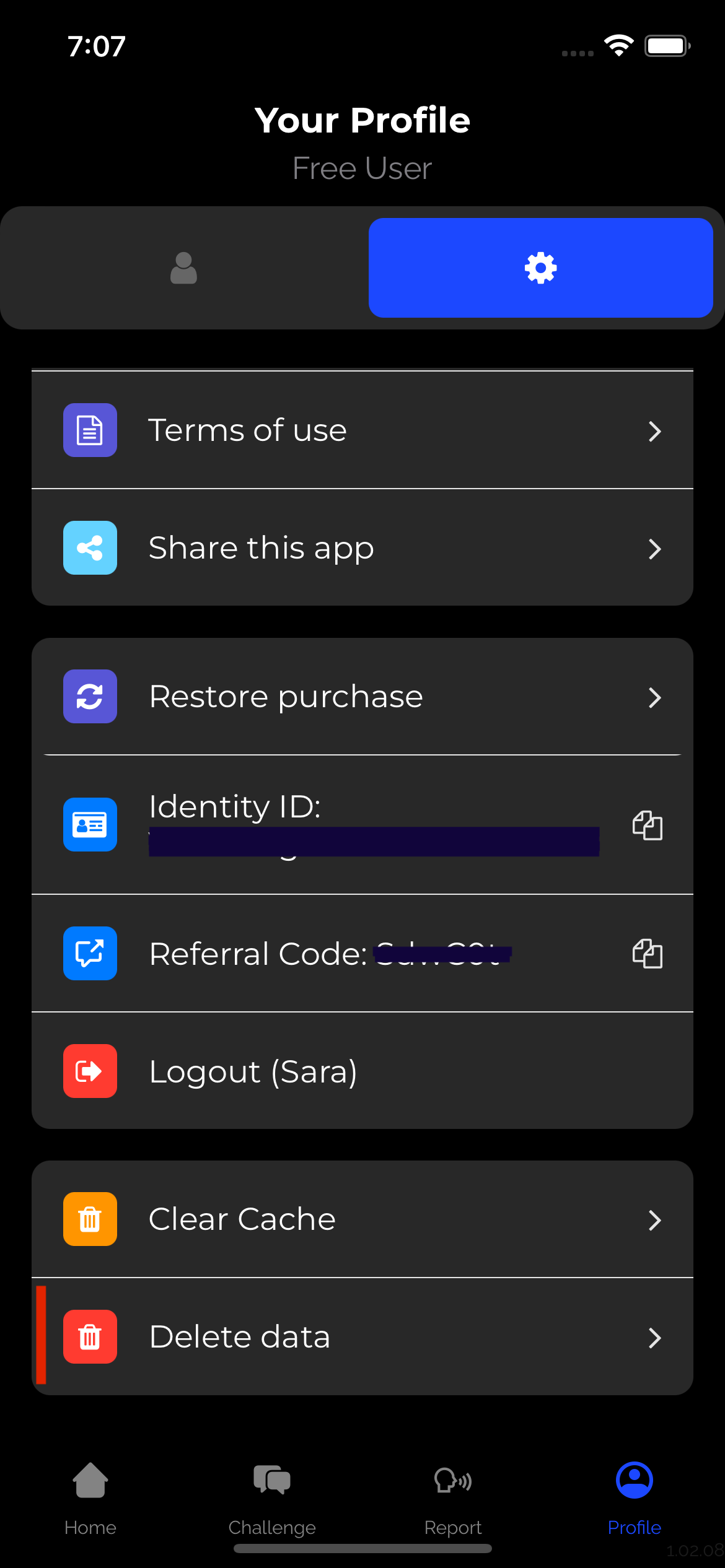
Access Settings from the Home Tab interface
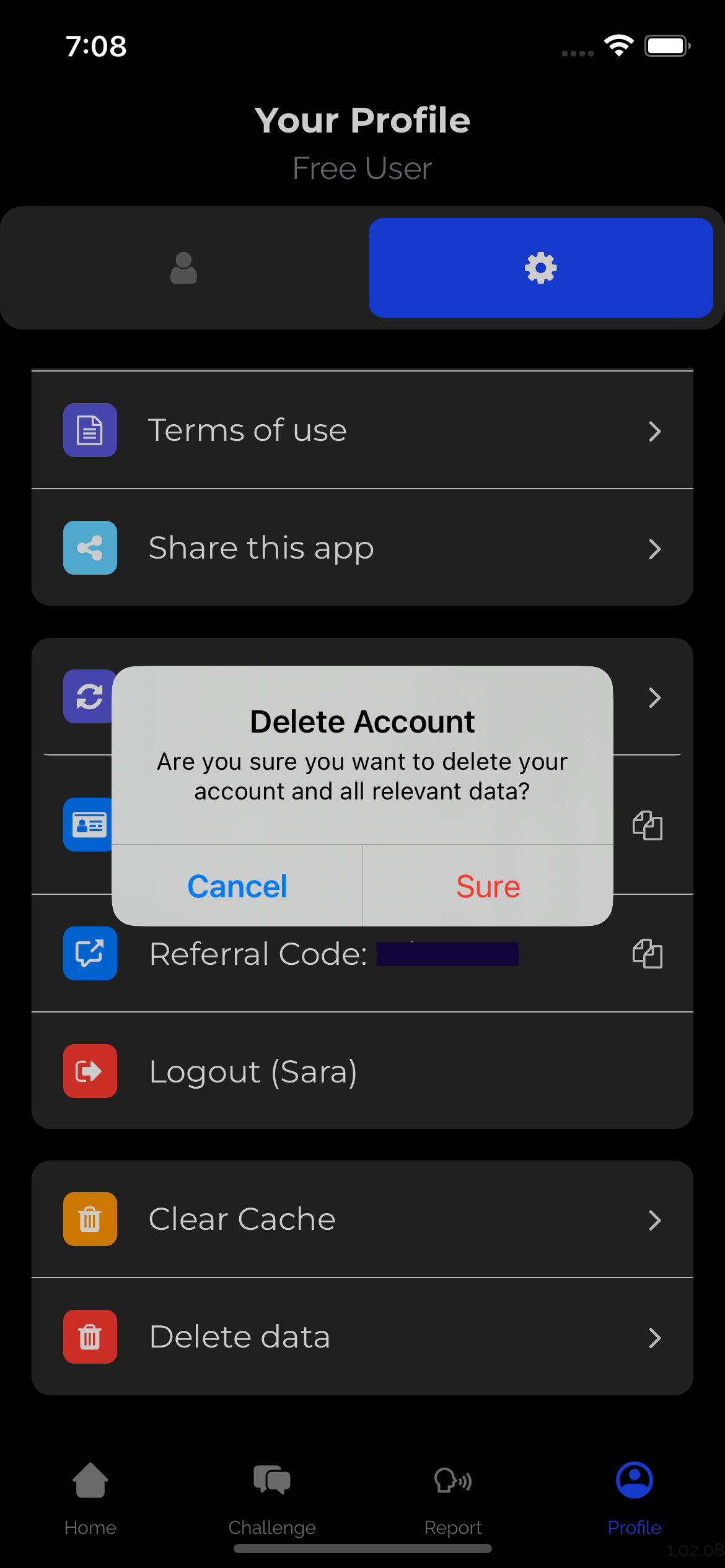
Select "Delete Account" and confirm your decision
Disclaimer: Account deletion is permanent and irreversible. All user data, including progress records, conversation history, and personalized settings, will be permanently removed from our systems.

Ready to Master Your Art of Communication?
Turn hesitation into CONFIDENCE, words into INFLUENCE, and conversations into DEEPER CONNECTIONS.
Your personalized transformation journey with SpeakFocus starts now!




Links
Resources
© Copyright 2025, All Rights Reserved by SpeakFocus